Pages of people are only the beginning. These tools help visitors find their way into the tree: a front page of the tree, instant search, an index of people and the chart of the whole tree. Each one is a shortcode: put it on a page (in Elementor, into the Shortcode widget).
Everything is counted over the people the visitor may see. Living and private people stay hidden according to your privacy settings.
Front page of the tree
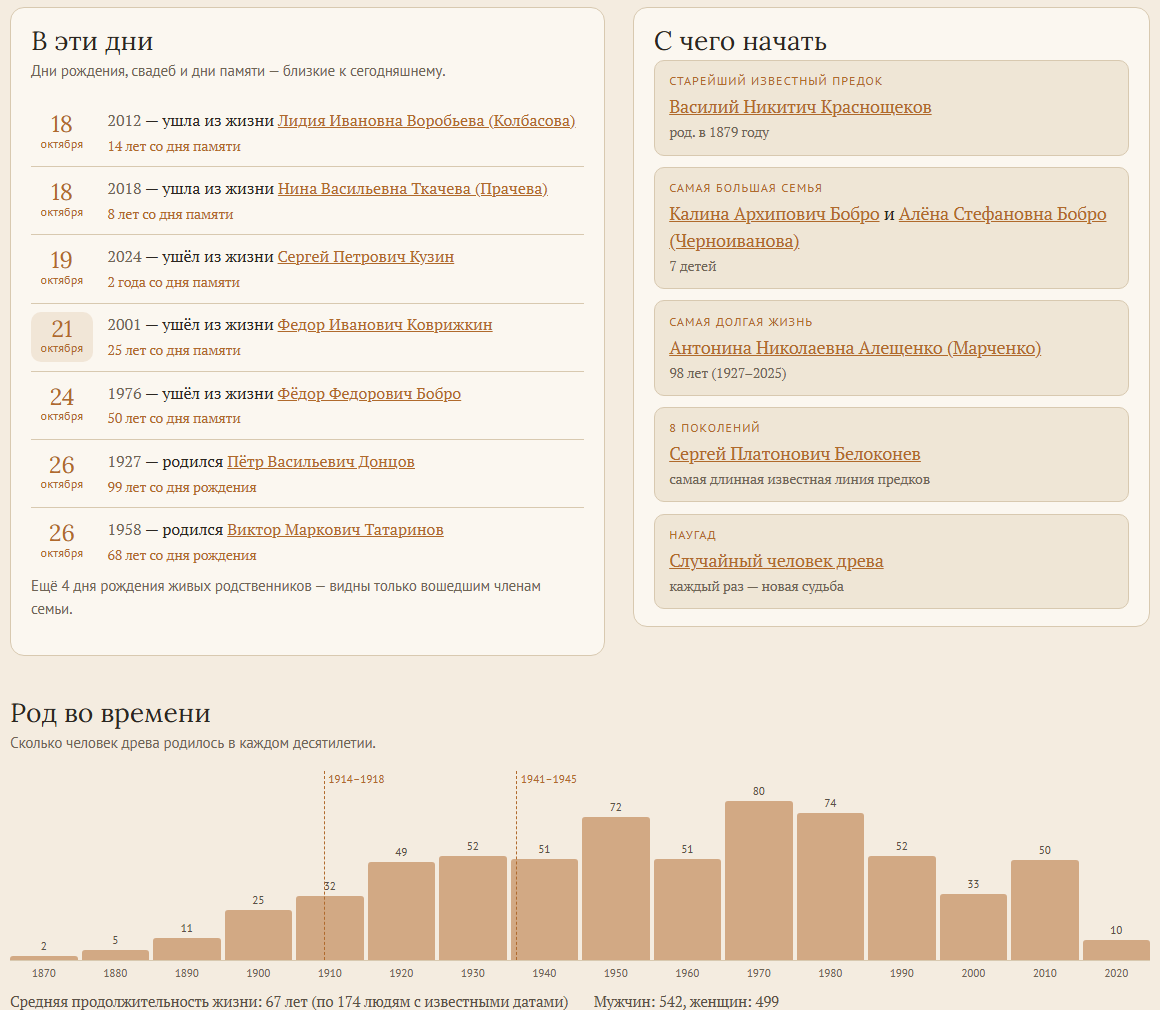
[rootspersona_hub]One shortcode builds the whole front page of the family history section:
- The tree in numbers — people, families, generations, years of history, surnames, places.
- Faces of the older generations.
- Remembrance days around today: births, deaths and marriages.
- Ways into the tree: the earliest known ancestor, the largest family, the longest life, the longest line of ancestors, a random person.
- Births per decade.
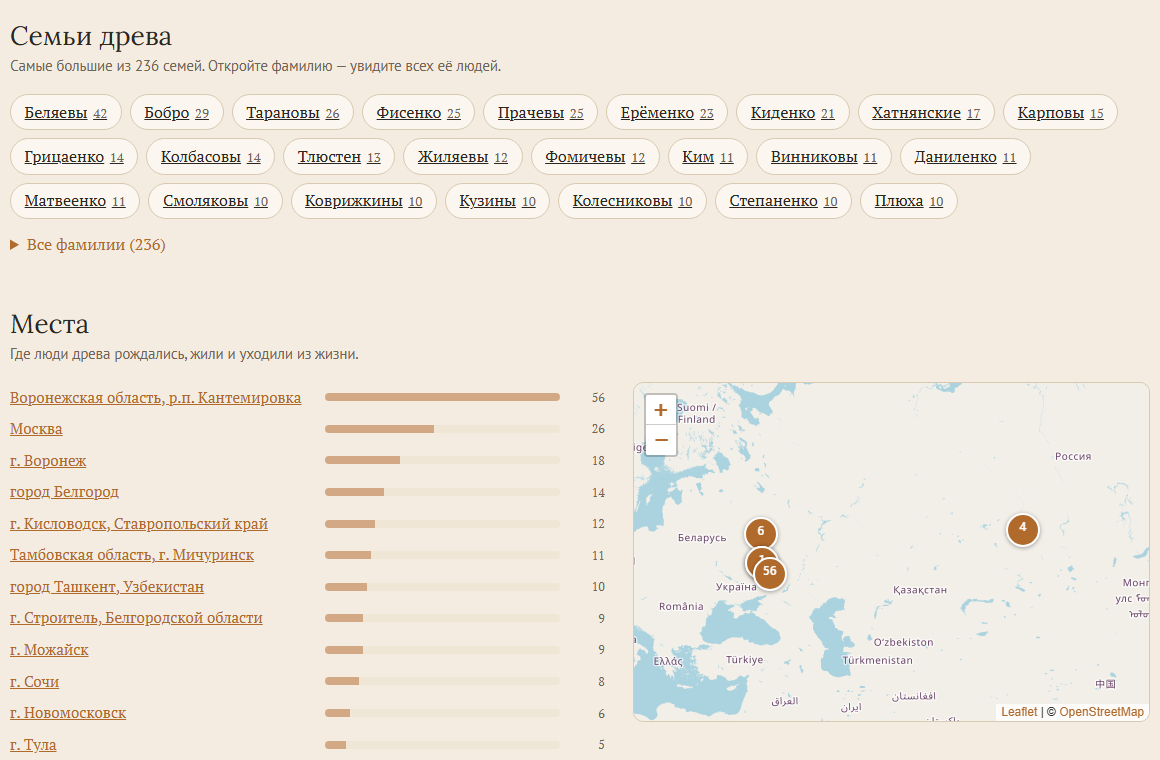
- Families by surname — each surname opens its own list of people.
- Places with the number of people and a map.
Surname and place pages open on the same page, you do not need to create them. Portraits and birthdays of living people are shown only to logged-in members of the family.
The parts on their own
Each part also works alone, for example on the home page of your site:
| Shortcode | Shows |
|---|---|
[rootspersona_faces count="24"] | portraits of the older generations; count — how many |
[rootspersona_today days="5"] | remembrance days; days — how many days before and after today |
[rootspersona_start] | ways into the tree |
[rootspersona_timeline] | births per decade |
[rootspersona_surnames count="30"] | surnames; without count — all of them |
[rootspersona_places count="12"] | places and the map |
With several trees on one site, add batch="2" (the Batch Id of the tree) to show one of them.
Search
Search needs two shortcodes: the search box, where visitors will see it (for example in the header of the site), and the results page.
[rootspersona_search]
[rootspersona_search_results]
Create a page, for example “Search”, with [rootspersona_search_results] on it. The search box finds that page by itself. If the results page is built in Elementor, point the box to it: [rootspersona_search results="/search/"]. The results page shows its own search box when the page has none yet.
Suggestions appear while typing: people by any of their names, places and years, and the posts and pages of the site. The letters ё and е count as the same. Visitors search a prebuilt index, so the answer is instant even in a large tree. Logged-in users also find the people only they may see.
In the next version: the search will also find names that sound alike — spelling variants such as Fesenko for Fisenko or Petroff for Petrov, and a name typed in Latin letters will find its Cyrillic spelling.
Index of people and top surnames
[rootsPersonaIndexPage batchId="1" /]An alphabetical list of all people of the tree, page by page. The number of rows per page is set in Settings → RootsPersona → Pages and other → Entries Per Page (25 by default).
For a sidebar or footer there is the Surname Widget (in Appearance → Widgets): the most frequent surnames of the tree.
Sources of the tree
[rootsEvidencePage batchId="1" /]All sources of the tree on one page. With sourceId="S1" — one source and the people it is cited for.
Chart of the whole tree
Many genealogy programs draw the whole tree as one big chart. RootsPersona can show that chart on your site and turn every person on it into a link to their page.
- In your program, save the chart as an SVG file (for example in “Древо Жизни” / Family Tree of Life).
- Open Tools → RootsPersona → Tree chart and upload the file. If the chart has photos, upload a ZIP with the SVG file and the folder of photos the program saved next to it, or put that folder into the media library first.
- Read the report: it lists the boxes that could not be linked to a person.
- Put
[rootspersona_chart]on a page.
A box becomes a link when its name and years match a person of the tree. Namesakes are told apart by their years, the birth surname in brackets and by where their relatives are drawn. Visitors can zoom (mouse wheel, two fingers or buttons), drag the chart, open it full screen and search for a person on it. Scripts and outside links are removed from the uploaded file. After a GEDCOM upload or when new pages are created, the links are made again by themselves.
The chart takes the whole width of the screen. To keep it in the text column use width="column"; the height is set with height, for example [rootspersona_chart height="600px"].
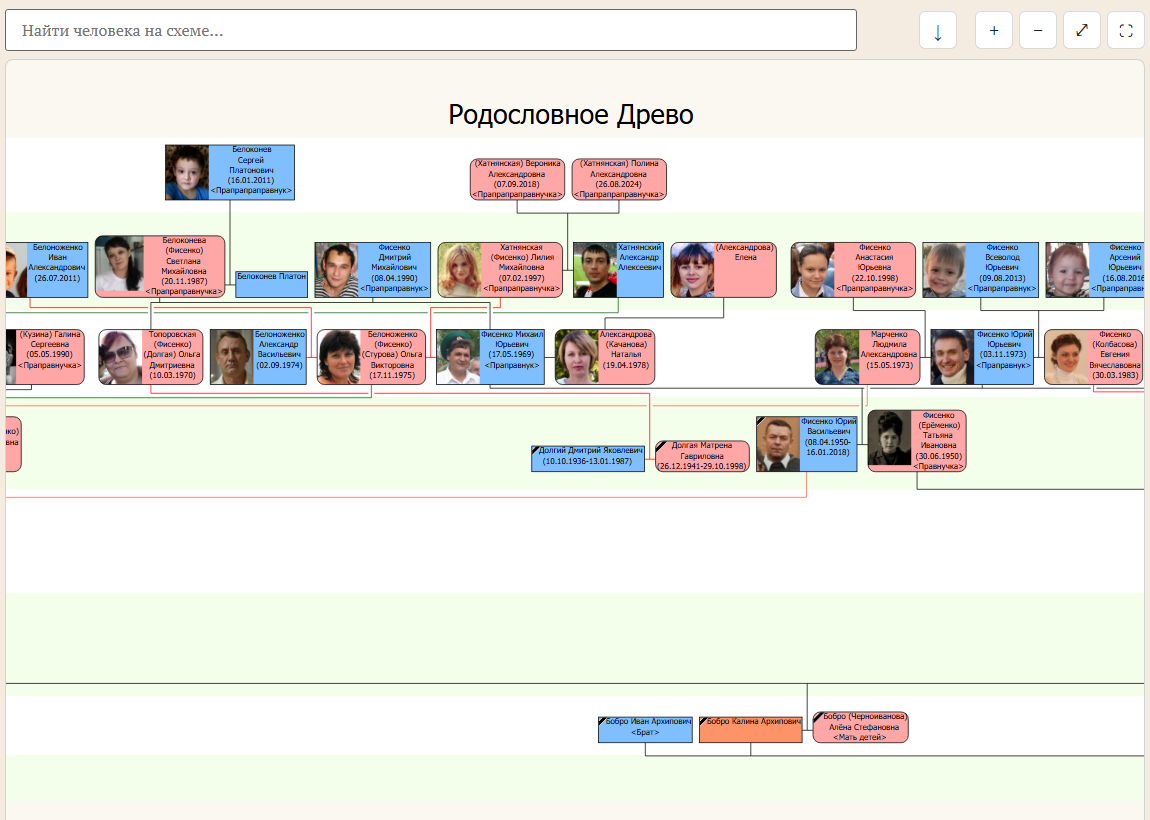
In the next version: a click on a person lights up their ancestors, descendants and spouses on the chart and opens a card with the photo, “Open the page” and “Show them all”; the address of the chart then points to that person, to share or bookmark.